
Get your Google Ads account ready for Black Friday, the AI-era way
29 checks for Smart Bidding, AI Max, Performance Max and AI-written ad text, with a deadline for each one before Black Friday (Nov 27) and Cyber Monday (Nov 30). PDF and spreadsheet, free from DetectivePPC.
By DetectivePPC · Checked against Google Ads Help and Merchant Center Help on November 12, 2026
Get the checklist
We'll email you the PDF and spreadsheet links.
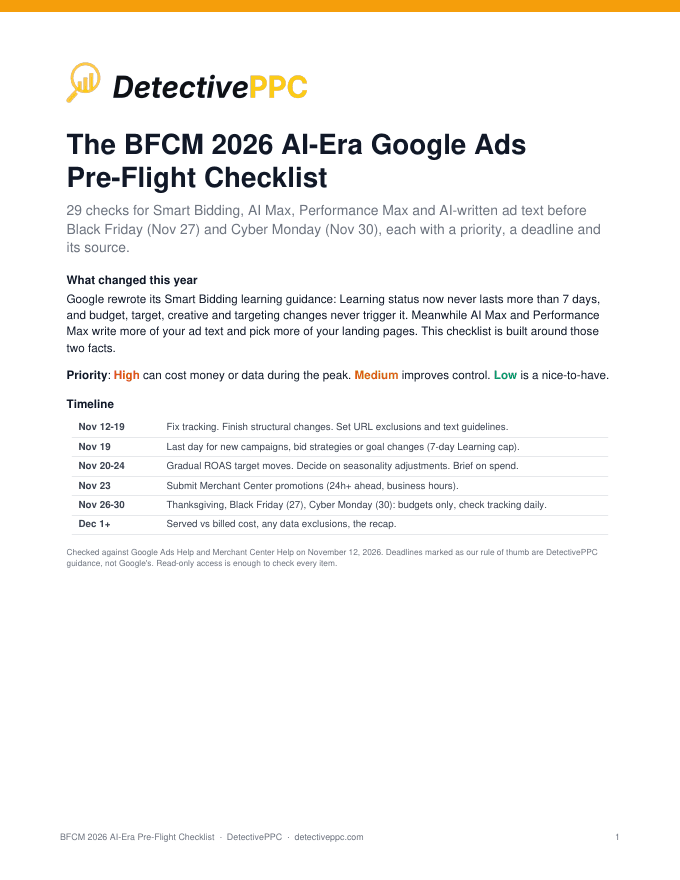
Timeline
Deadlines marked as our rule of thumb are DetectivePPC guidance, not Google's.
- Nov 12-19Fix tracking. Finish structural changes. Set URL exclusions and text guidelines.
- Nov 19Last day for new campaigns, bid strategies or goal changes (7-day Learning cap).
- Nov 20-24Gradual ROAS target moves. Decide on seasonality adjustments. Brief on spend.
- Nov 23Submit Merchant Center promotions (24h+ ahead, business hours).
- Nov 26-30Thanksgiving, Black Friday (27), Cyber Monday (30): budgets only, check tracking daily.
- Dec 1+Served vs billed cost, any data exclusions, the recap.
29 checks · PDF and XLSX
02
Smart Bidding and the new 7-day Learning rule
High can cost money or data during the peak. Medium improves control. Low is a nice-to-have.
- Not done
Know what actually triggers Learning now
HighNowGoogle's rewritten help page lists only three triggers: a new or reactivated bid strategy, a composition change (campaigns, ad groups or keywords added or removed), and a significant conversion goal change. Learning status never lasts more than 7 days.
- Not done
Finish structural changes at least 7 days before Thanksgiving (Nov 26)
HighBy Nov 19Our rule of thumb from the 7-day cap: launch new campaigns, new bid strategies and goal changes by about Nov 19 so any Learning status has cleared before the peak. Google adds that performance can take 1-2 conversion cycles to stabilize on a new goal, so earlier is better if your cycle is long.
- Not done
Raise budgets without fear of resetting Learning
MediumDuringGoogle now says budget, target, creative and targeting changes never trigger Learning or remove historical data; budget changes take effect in the next auction. That makes budget the safest lever during the week.
- Not done
Move ROAS targets gradually and a few days early
MediumNov 20-24For Shopping and PMax promo days, Google suggests adjusting targets a few days ahead, in gradual steps (its example: increments of 30% over time), waiting 1-2 conversion cycles between changes.
- Not done
Avoid stacking several target changes inside one conversion cycle
MediumDuringGoogle's best-practice list: avoid multiple target changes within a single conversion cycle unless there's a clear business need. Pick your BFCM targets once and let them run.
What's in the rest of the checklist
Eight areas, in the order we'd run them. The Timeline and Smart Bidding section are above; the PDF and spreadsheet have every check.
01
Conversion data you can trust
02
Smart Bidding and the new 7-day Learning rule
03
Seasonality adjustments: probably not for BFCM
04
AI Max for Search
05
AI-written ad text guardrails (AI Max and PMax)
06
Performance Max
07
Budgets during the week
08
Merchant Center (Shopping and PMax retail)
Frequently asked questions
Is the checklist free?
Yes. Enter your email and we send you the download links for the PDF and spreadsheet.
What formats do I get?
A PDF, plus the same 29 checks as an XLSX spreadsheet.
Do I need edit access to the account?
No. Read-only access is enough to check every item.
Will you add me to a mailing list?
Only if you tick the Case Notes Weekly box. Otherwise we just send the checklist. See our privacy policy.
How current is it?
Checked against Google Ads Help and Merchant Center Help on November 12, 2026. It is written for BFCM 2026 (Black Friday Nov 27, Cyber Monday Nov 30).
How is this different from DetectivePPC?
The checklist is the manual pre-flight. DetectivePPC runs a read-only audit and then watches the account between audits, flagging anomalies like a CPA spike or a sharp spend drop.